The new administration portal is currently in the beta phase. You are welcome to send us your feedback on the new portal using the corresponding button (at the bottom left of the new administration portal).
- Open the settings (arrow in illus.).
- In the General tab you will find the following information:
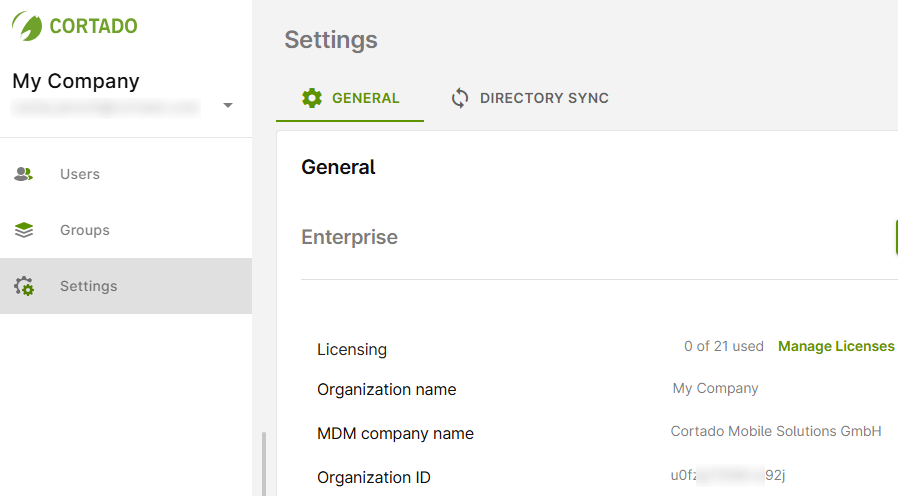
- Licensing: Here you can get an overview of your license usage. We show you how to manage your licenses in our help article How to manage your Cortado MDM subscription.
- Organization name: Here you can find the name of your organization.
- MDM company name: Here you will find the name of your company. A company can manage multiple organizations.
- Organization ID: Each organization automatically receives its own ID. This cannot be changed.
Switching between organizations
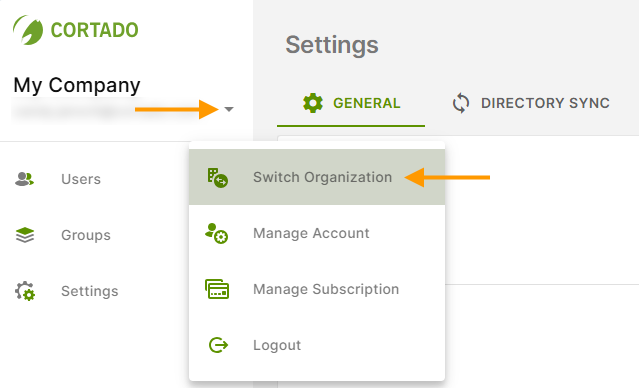
If you manage several organizations with Cortado MDM, you can switch between the organizations at the top left of the administration portal.
- To do this, click on the small arrow behind your user name (upper arrow in illus.).
- Then select Switch organization (lower arrow in illus.).
Changing the name of the organization and MDM company name
- Click on Configure (arrow in illus.) to change the name of the organization and/or the MDM company name.
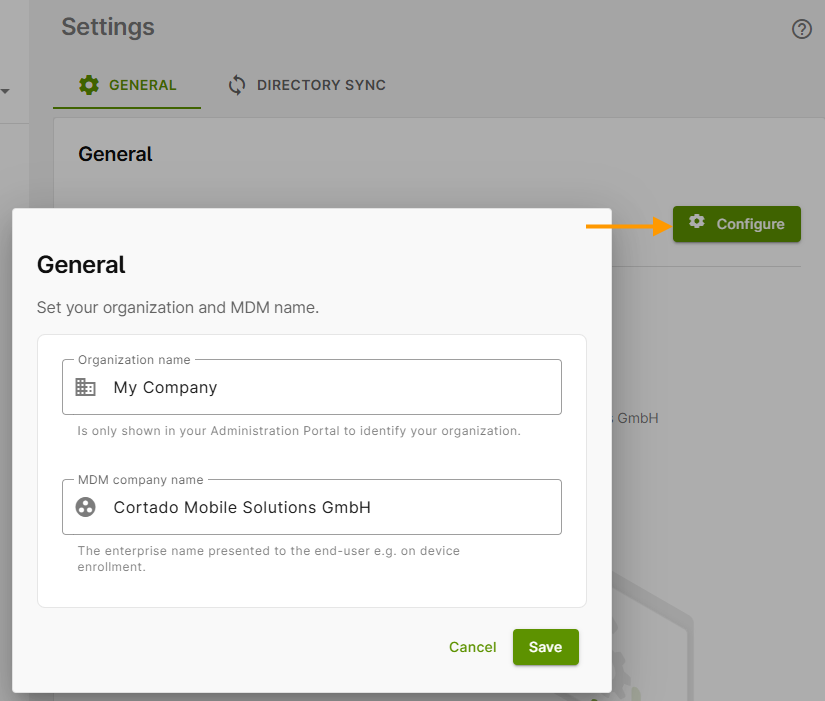
- The organization name is only displayed in the administration portal to identify your organization.
- The MDM company name is displayed to users when they log in to their devices, for example.
- Save your changes.