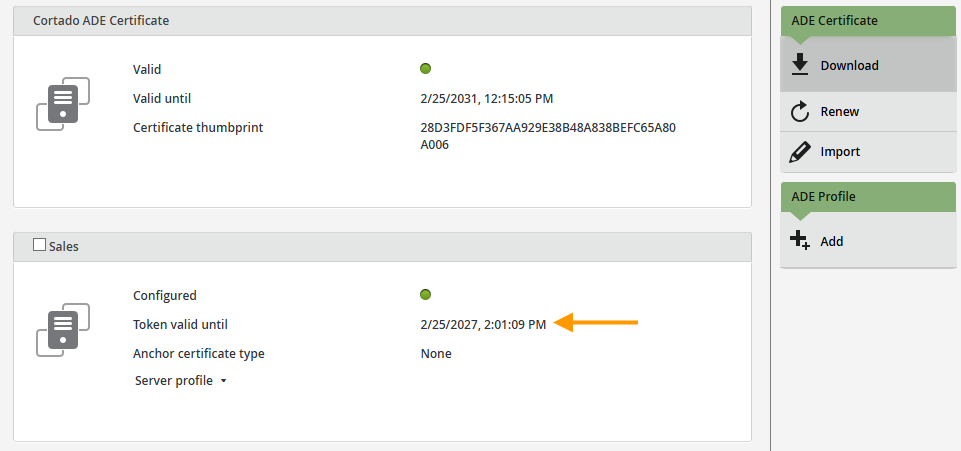
The public key of your ADE certificate, which you need for automatic device registration of Apple devices, is valid for five years. It is usually renewed automatically. However, the associated token becomes invalid as a result of this renewal.
Aim
In this how-to guide, we will show you how to renew the token for your ADE certificate if it has become invalid due to the public key being updated.
Implementation
Note! Occasionally, the ADE certificate (public key) may not renew automatically. In this case, click “Renew” before continuing as described below.
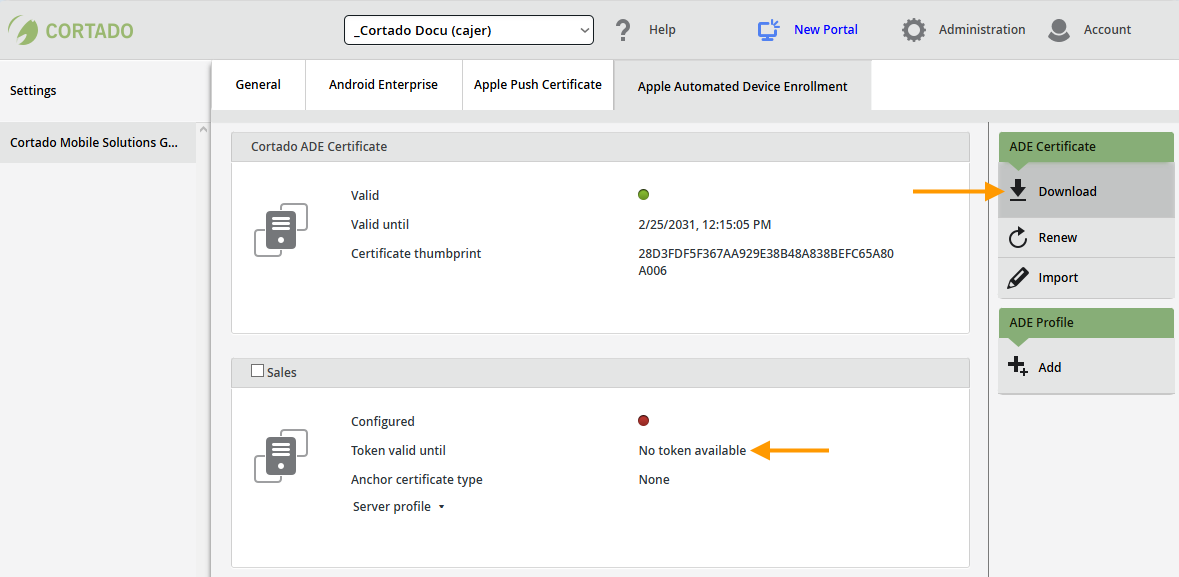
Once your ADE certificate (public key) has been renewed (or renewed by you), the token associated with the certificate loses its validity (left arrow in the image, No token available) and must be updated in Apple Business Manager.
- To do this, download the new ADE certificate (public key) (right arrow in the image).
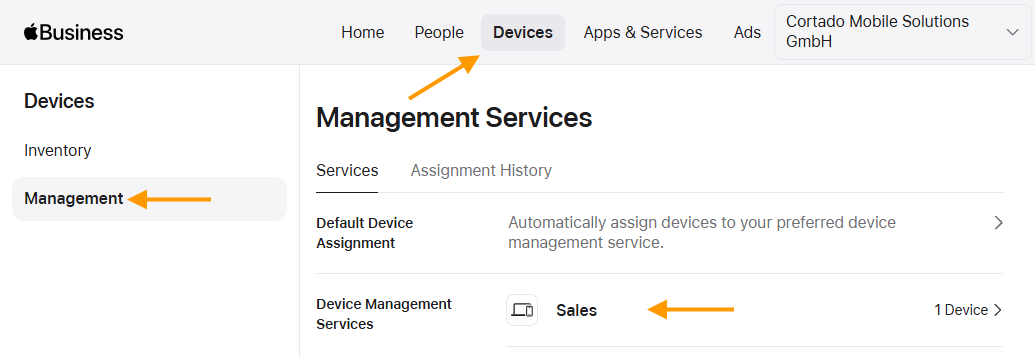
- Then open Apple Business Manager and log in with your credentials.
- Under Devices → Management (top and left arrows in the image), select the Device Management Service (bottom arrow in the image) whose certificate you want to renew.
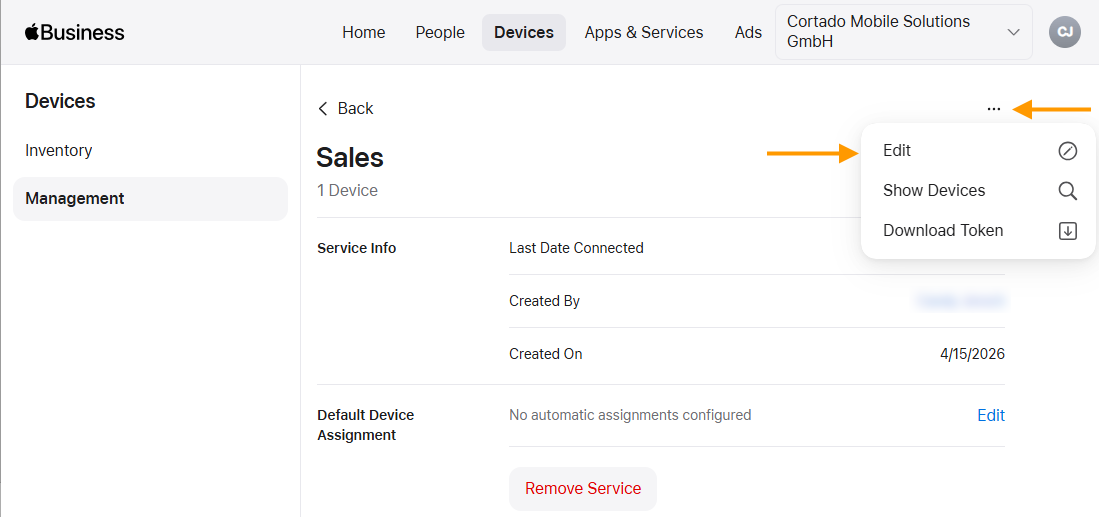
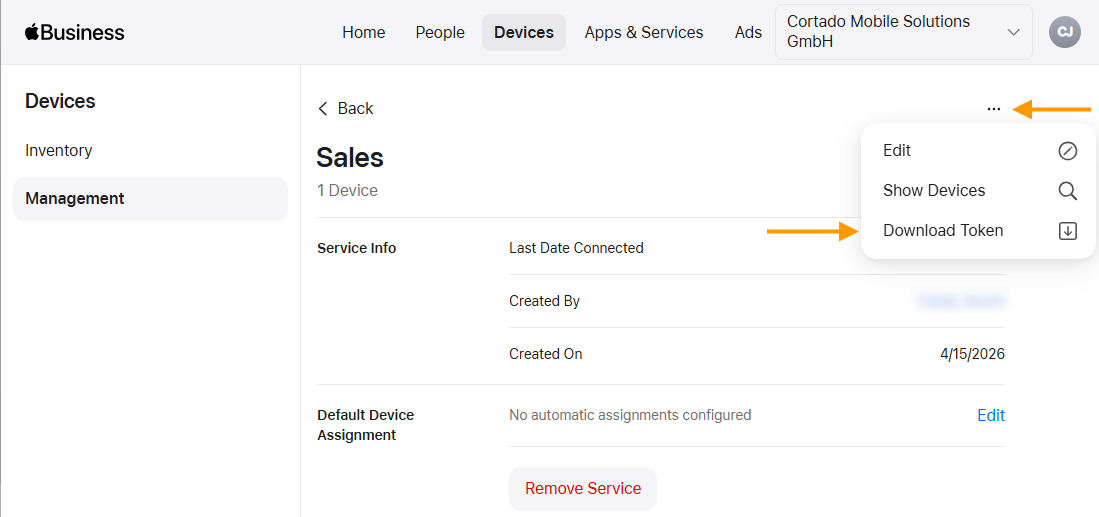
- Open the menu (top arrow in the image) and then click Edit (bottom arrow in the image).
- Then click on Replace Certificate (arrow in illus.).
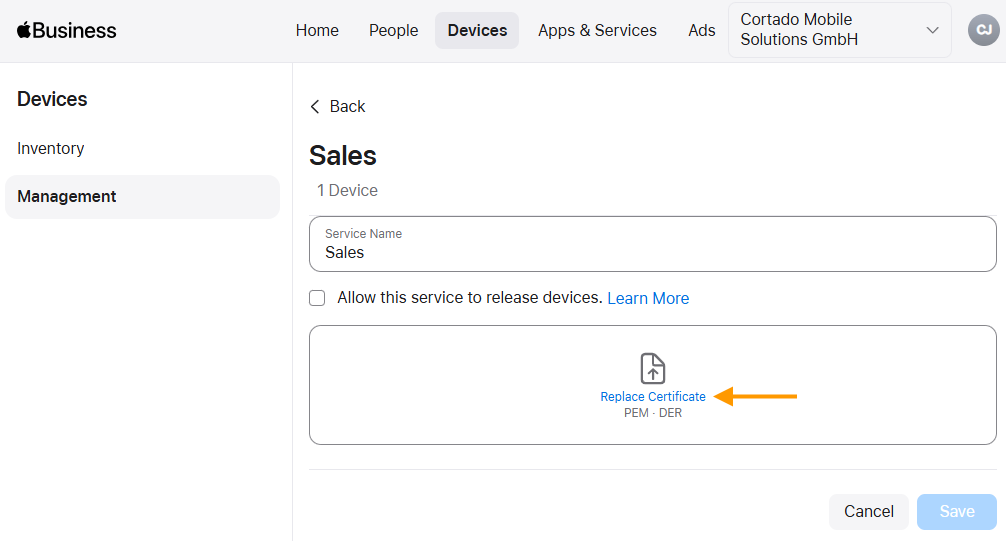
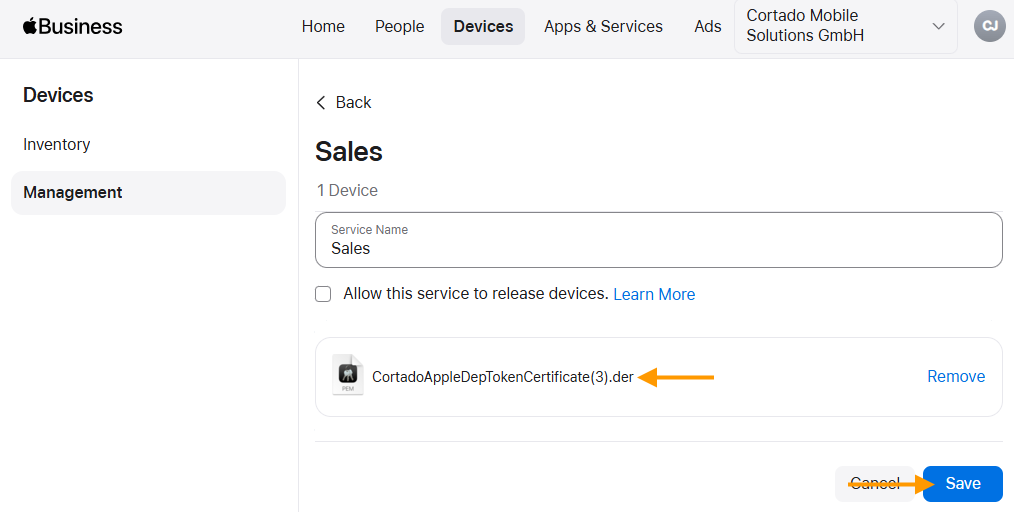
- Now upload the ADE certificate containing the public key that you downloaded from the Cortado Administration Portal in the previous step.
- Then click Save (arrow in the image).
- Now you can open the menu again (top arrow in the image) and download the new token by clicking Download Token (bottom arrow in the image).
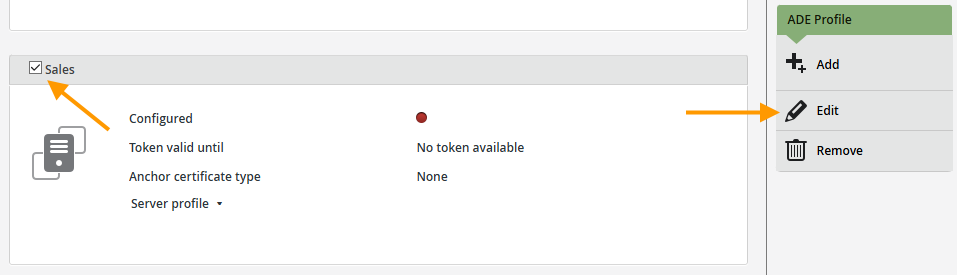
- Select the profile with the invalid token in the Cortado administration portal (left arrow in the image) and then click Edit (right arrow in the image).
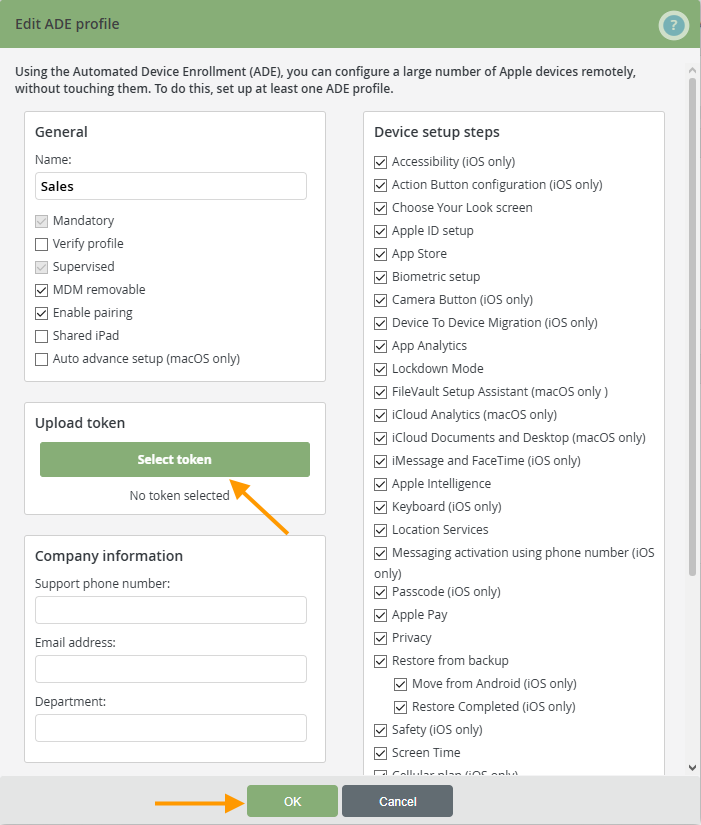
- Upload the new token to your ADE profile (upper arrow in the image) and then click OK (lower arrow in the image).
The token is now valid for another year. We show you how to renew the token after this period in our How-To guide.
How to renew the token of a ADE profile for devices.