The token for your ADE certificate, which you need for automatic device enrollment, remains valid for one year and must therefore be regularly renewed. To do so, it is necessary to download a new token in the Apple Business Manager.
Aim
This How To tells you what steps must be undertaken to renew the ADE token of a ADE profile.
Implementation
- Open the Apple Business Manager under https://business.apple.com/ and log in.
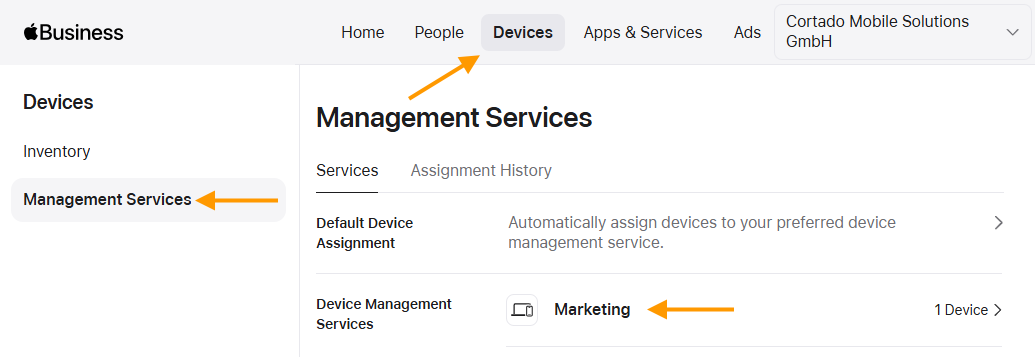
- Under Devices → Management Services (top and left arrows in illus.), select the Device Management Service (lower arrow in illus.) whose token you want to renew.
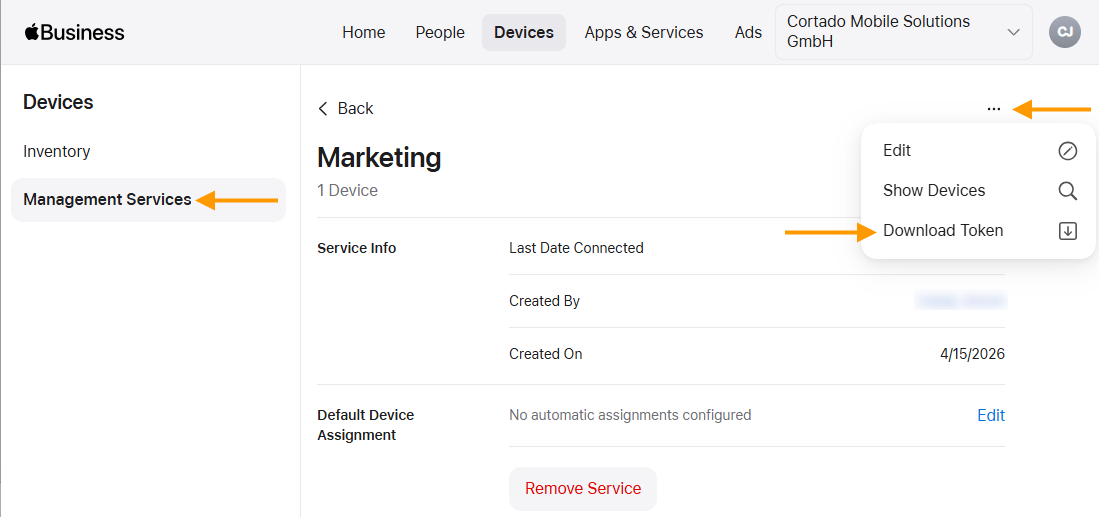
- Then open the menu (upper arrow in illus.) and click on Download Token (lower arrow in illus.).
Note! Sometimes, adding devices to the Cortado Administration Portal may no longer work, even though the token is still valid. In such cases, always check the Last Date Connected under Service Info for your device management service. If it was several days ago, renew the token as described here.
- Now go to the Cortado Administration Portal.
This feature is already available in our new administration portal. The new portal is currently in beta. Instructions for using the new portal can be found at the end of this article.
- In the old Administration Portal select Administration→Settings→ Apple Automated Device Enrollment.
- Select the ADE profile (left arrow in the illus.) for which you want to renew the token and then click on Edit (right arrow in the illus.).

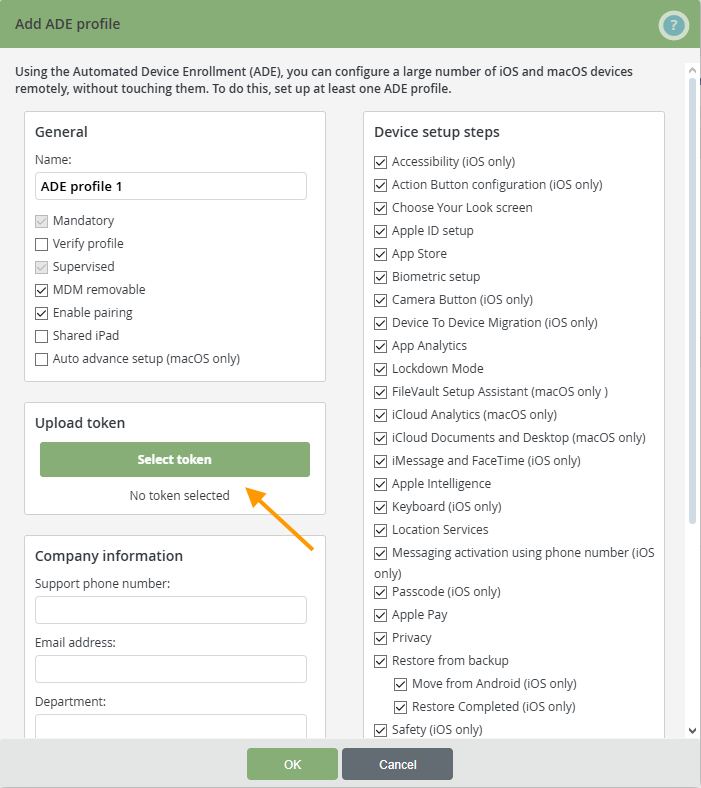
- Select Select token and upload the token to the Apple Business Manager (arrow in the illus.).
You can find more information on the subject of configuring ADE devices here.
Note! If the token cannot be renewed, check whether the public key of the ADE certificate has been recently (automatically) updated. For more information, see our help article: How to renew your ADE certificate token for a new public key.
NEW ADMINISTRATION PORTAL: Renew token
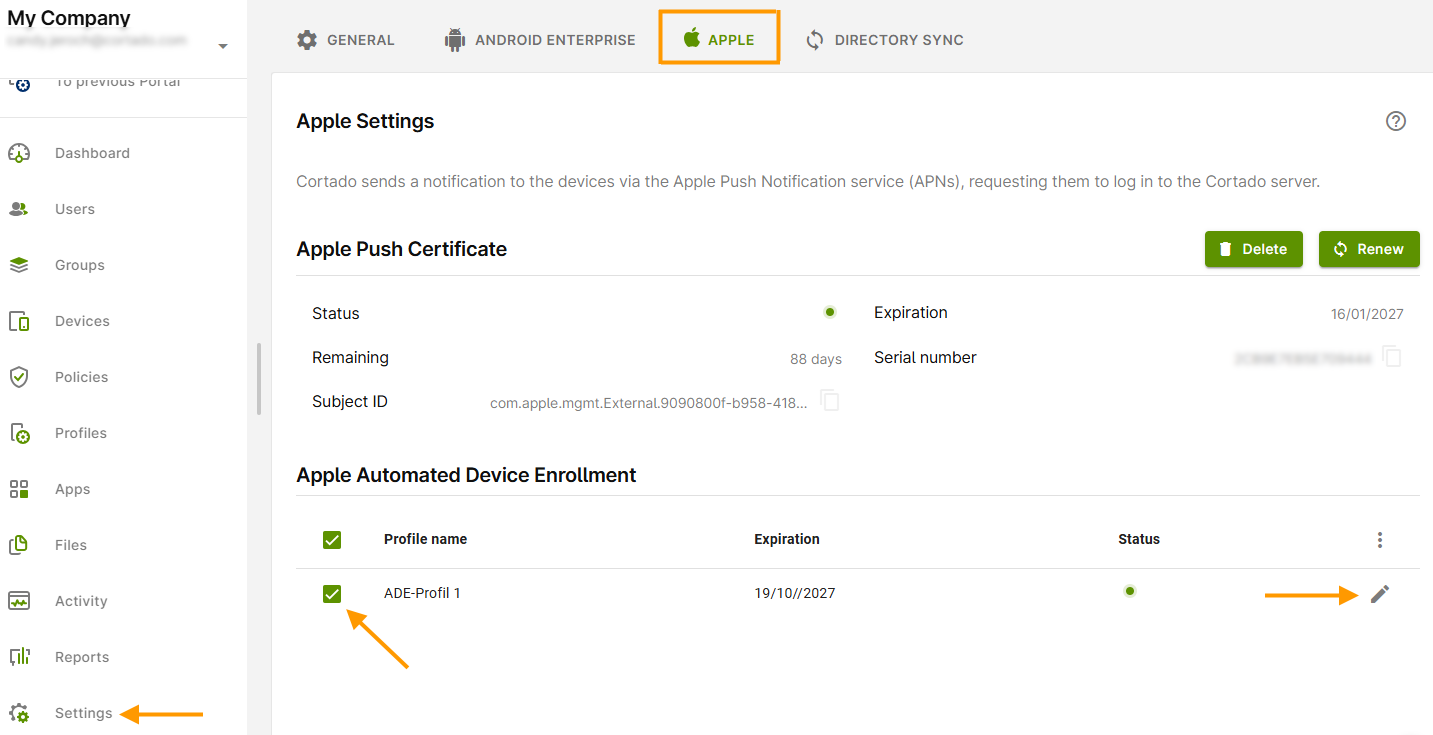
- Open the Cortado administration portal and, in the Settings (left arrow in the image), open the Apple tab (highlighted in the image).
- Select your ADE profile here (middle arrow in the image).
- Then click the pencil icon (right arrow in the image).
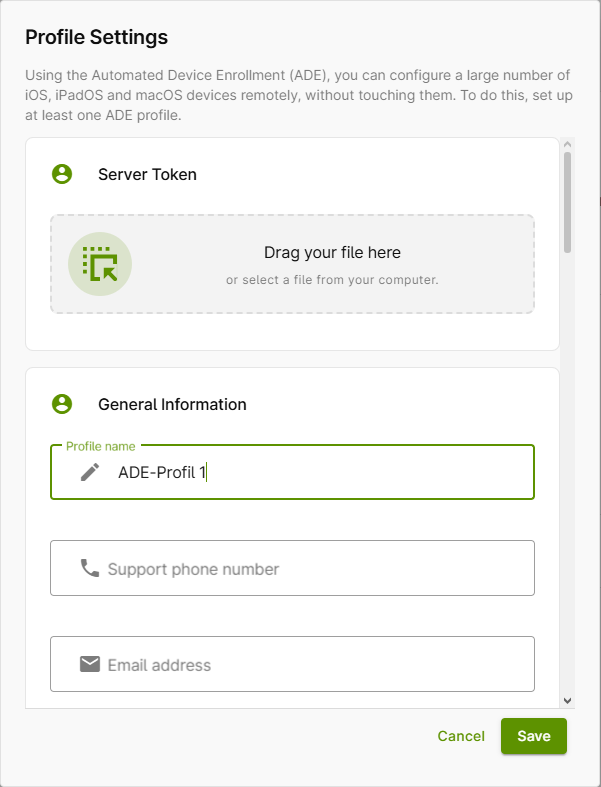
- Next, drag your file from Apple Business into the Server Token field or select it from your computer (arrow in the image) to upload it to Cortado.
- Then click Save.
You can find more information on the subject of configuring ADE devices here.
Note! If the token cannot be renewed, check whether the public key of the ADE certificate has been recently (automatically) updated. For more information, see our help article: How to renew your ADE certificate token for a new public key.