The token for your ADE certificate, which you need for automatic device enrollment, remains valid for one year and must therefore be regularly renewed. To do so, it is necessary to download a new token in the Apple Business Manager.
Aim
This How To tells you what steps must be undertaken to renew the ADE token of a ADE profile.
Implementation
- Open the Apple Business Manager under https://business.apple.com/ and log in.
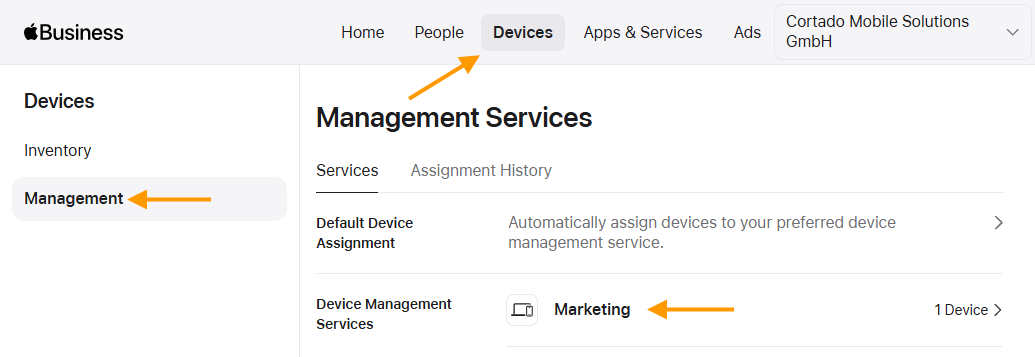
- Under Devices → Management (top and left arrows in illus.), select the Device Management Service (lower arrow in illus.) whose token you want to renew.
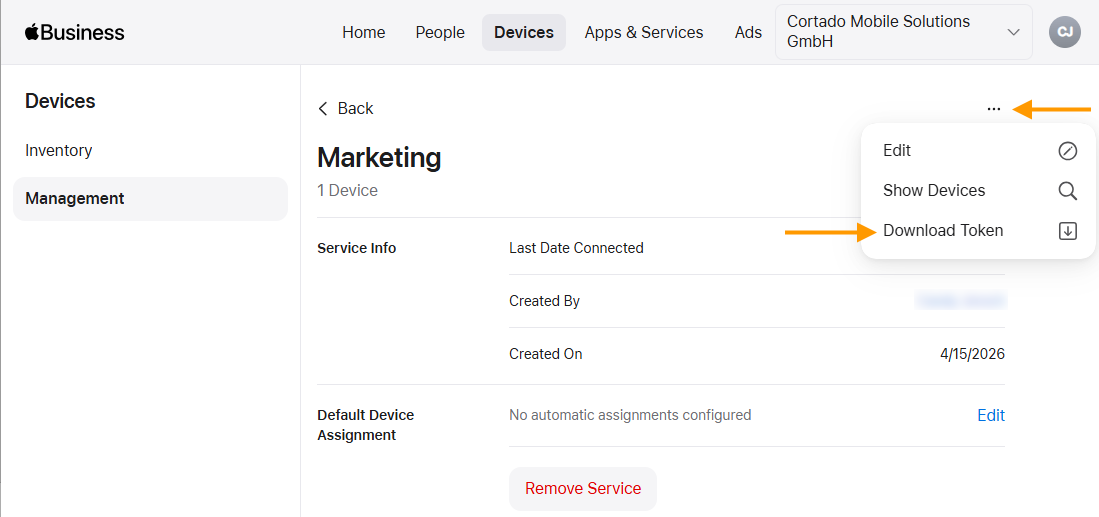
- Then open the menu (upper arrow in illus.) and click on Download Token (lower arrow in illus.).
- Now open the Cortado Administration Portal and select Administration→Settings→ Apple Automated Device Enrollment.
- Select the ADE profile (left arrow in the illus.) for which you want to renew the token and then click on Edit (right arrow in the illus.).

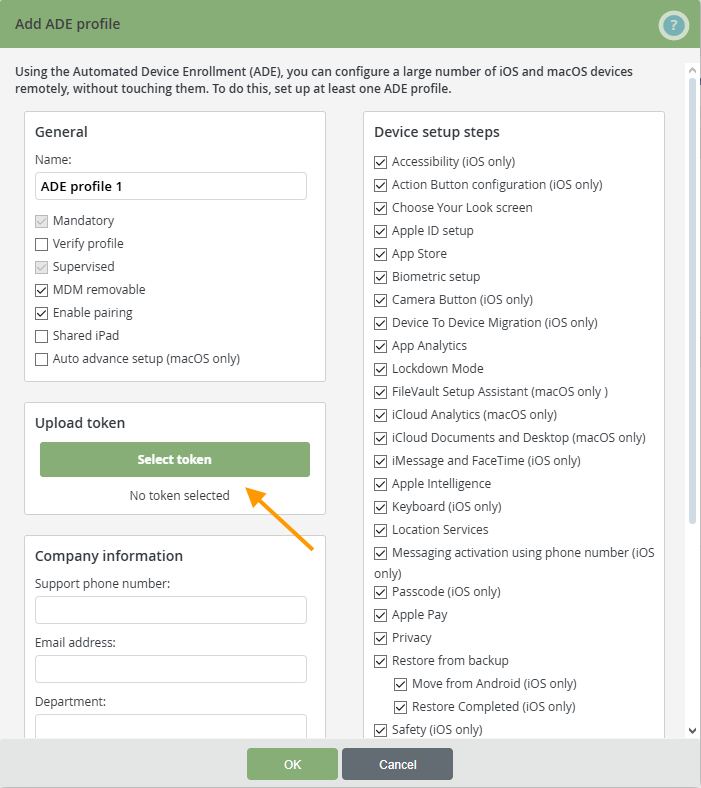
- Select Select token and upload the token to the Apple Business Manager (arrow in the illus.).
You can find more information on the subject of configuring ADE devices here.
Note! If the token cannot be renewed, check whether the public key of the ADE certificate has been recently (automatically) updated. For more information, see our help article: How to renew your ADE certificate token for a new public key.