Does your company already have a managed Google domain for using Google Workspace? Would you like to set up Android Enterprise for your managed Google domain and/or import your Google Workspace groups and users into Cortado MDM? If so, you’ll need to set up API access with domain-wide delegation for Google Workspace.
What is domain-wide delegation?
Domain-wide delegation allows an application to access specific Google Workspace data on behalf of users in a Google Workspace domain. This enables Cortado MDM to perform administrative tasks automatically without requiring each user to authorize access individually.
Setting up domain-wide delegation is a prerequisite for:
- Setting up Android Enterprise with a managed Google domain
- Upgrading from Android Enterprise with managed Google Play accounts to a managed Google domain
- Importing Google Workspace groups
Set up domain-wide delegation
Requirements: You must have a managed Google domain for your business and an administrator account to sign in to the Google Admin Console.
- Sign in to the Google Admin console using your administrator account.
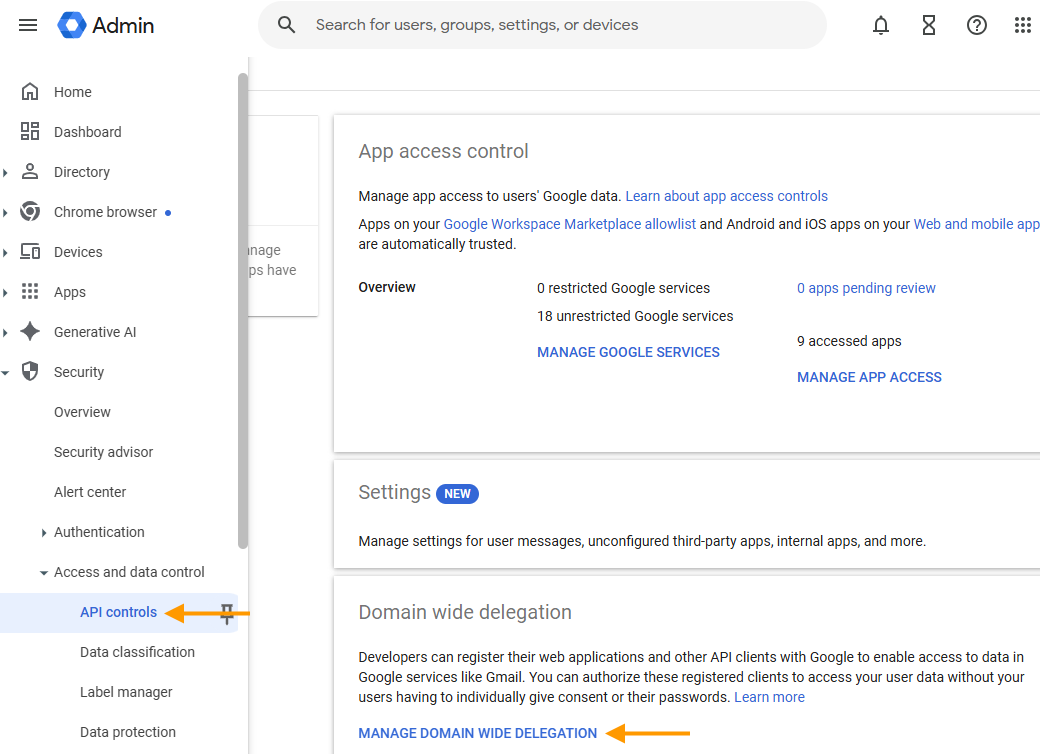
- Select Security → Access and data controls → API controls → Manage domain wide delegation (arrows in the image).
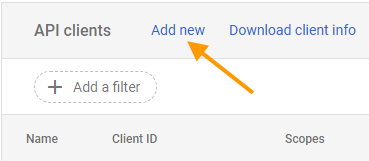
- Under API clients, click Add new (arrow in the image).
Enter the following values:
- Client ID: 112038885227391969734
- OAuth scopes:
https://www.googleapis.com/auth/admin.directory.group.readonly
https://www.googleapis.com/auth/admin.directory.group.member.readonly
https://www.googleapis.com/auth/admin.directory.user.readonly
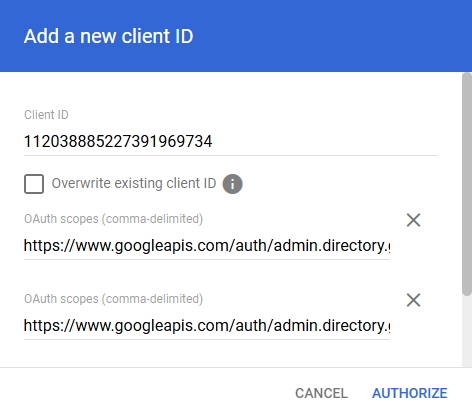
- Then click Authorize.
- Now go to the Cortado Administration Portal.