This feature is already available in our new administration portal. The new portal is currently in beta. Instructions for using the new portal can be found at the end of this article.
MDM policies play a crucial role in ensuring that your users' mobile devices can be used securely and efficiently. They define clear rules for handling work and personal devices, regulate security standards such as password policies and encryption, and ensure that company data remains protected at all times. MDM policies thus form the foundation of a modern, mobile IT infrastructure.
With the help of these policies, you can specify, among other things, which functions of the mobile devices may be used by your users, how device passwords must be structured, and in which apps users can open documents.
- Select Administration→ Policies in the Administration Portal.

- Click on the plus sign, to create a new policy.

Note! In order to give users a head start with policy management, we have already created two policies for you. We created these policies based on the GDPR guidelines. Using them will ensure that personal and business information are kept separated on users’ mobile devices.
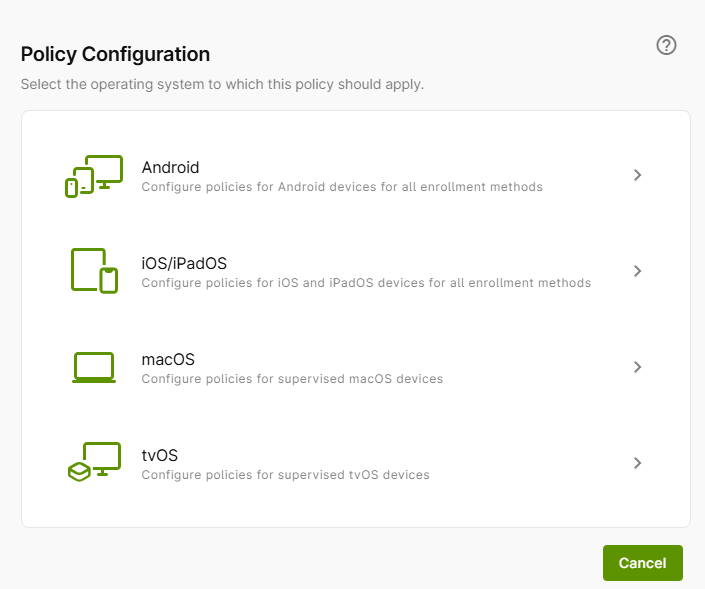
Now you can select for which device type you want to create a policy:
NEW ADMINISTRATION PORTAL: Creating policies
The new administration portal is currently in the beta phase. Please feel free to send us your feedback on the new portal by clicking the corresponding button (located at the bottom left of the new administration portal).
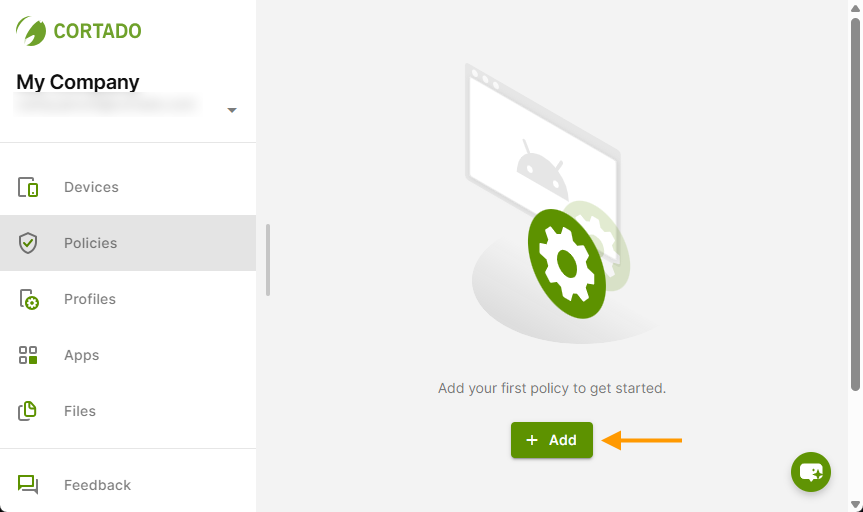
- Open the policies in the menu (left column).
- Then click Add (arrow in the image).
Note! To help users get started with managing policies, we have already preconfigured two policies. We created these policies based on the GDPR guidelines. Using these policies ensures that personal and business data are kept separate on users' mobile devices.
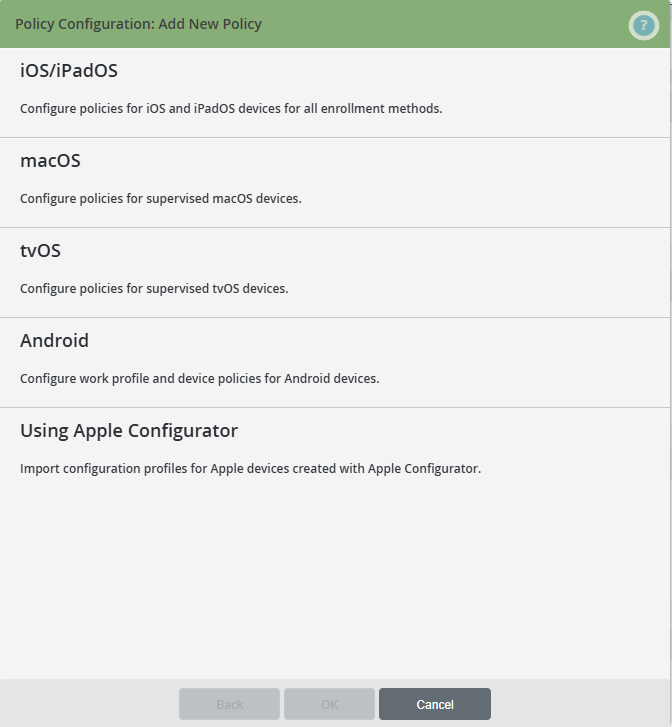
Now you can select the device type for which you want to create a policy:
Note! Use our old administration portal to import configuration profiles for Apple Configurator. This feature is not yet integrated.