This feature is already available in our new administration portal. The new portal is currently in beta. Instructions for using the new portal can be found at the end of this article.
If necessary, you can lock your users' macOS devices via the administration portal. This puts the device into a secure state and users no longer have access. A special unlock PIN is required to unlock the devices.
- Open Device Management under Administration→ Devices.
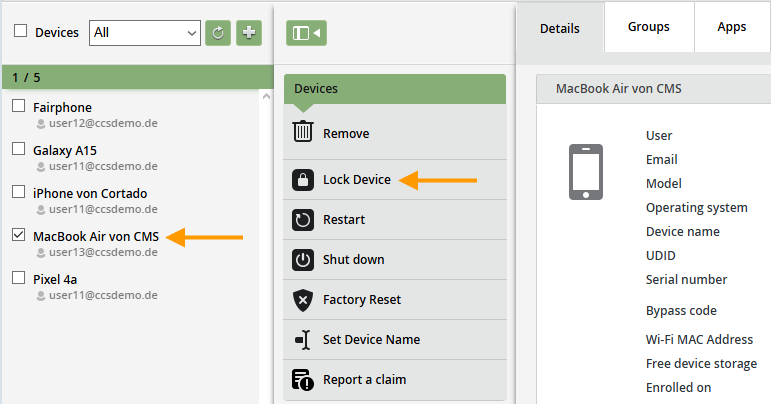
- Select the Mac you want to lock in the left column (left arrow in the image).
- Then click Lock Device (right arrow in the image).
- Create a six-digit Unlock PIN that can be used to unlock the Mac after it has been locked (example shown in the image).
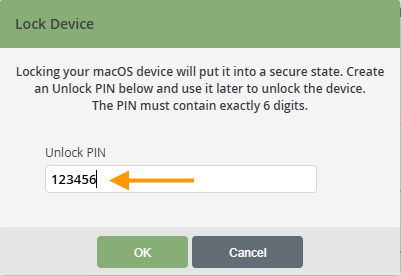
- Then click OK. The Mac will now be put into a secure state and can only be unlocked using the PIN you set in the last step.
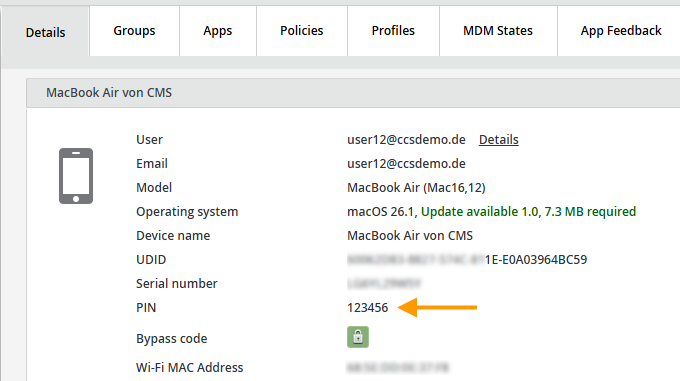
- You can find the PIN in the device details of the macOS device (arrow in illus.).
- Users must enter the PIN on the Mac to unlock it again.

NEW ADMINISTRATION PORTAL: Lock a macOS device
The new administration portal is currently in the beta phase. You are welcome to send us your feedback on the new portal using the corresponding button (at the bottom left of the new administration portal).
The lock puts the device into a secure state and users no longer have access to it. A special unlock PIN is required to unlock the devices.
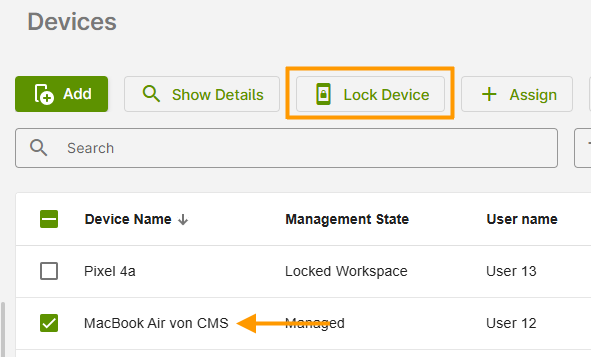
- Select the desired device in Device Management or click on it to open the device details (arrow in the image).
- Then click on Lock Device.
- Enter a PIN that can be used to unlock the device again. Make a note of this PIN and share it with the user.
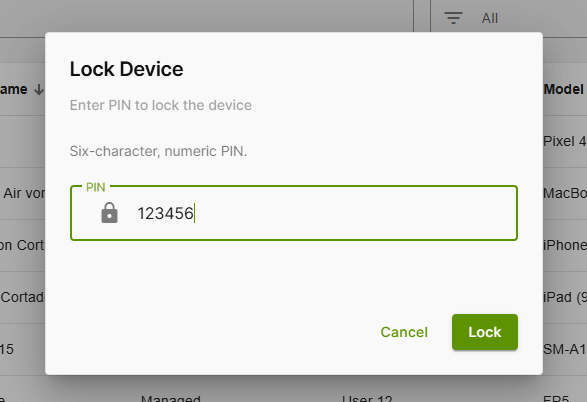
The user must enter the PIN on the device later to unlock it again.